Search Nitro
Sign in

Search Nitro

Rank, convert and close, from the website you already have

SEO tags, specials, lead capture, bot protection and competitor tracking for dealer websites, sold from one store and signed in once.

Each product does one job and does it on the site you have today, through Google Tag Manager or a script tag. What you license belongs to your business, not to whoever set it up.

  • One sign-in
  • Loads through Google Tag Manager
  • Licensed to your business
A dealer website with an SEO tag bar, an offer card and a QR code marked as added, joined by dashed lines to six product badges: code, analytics, offers, QR, shield and search.
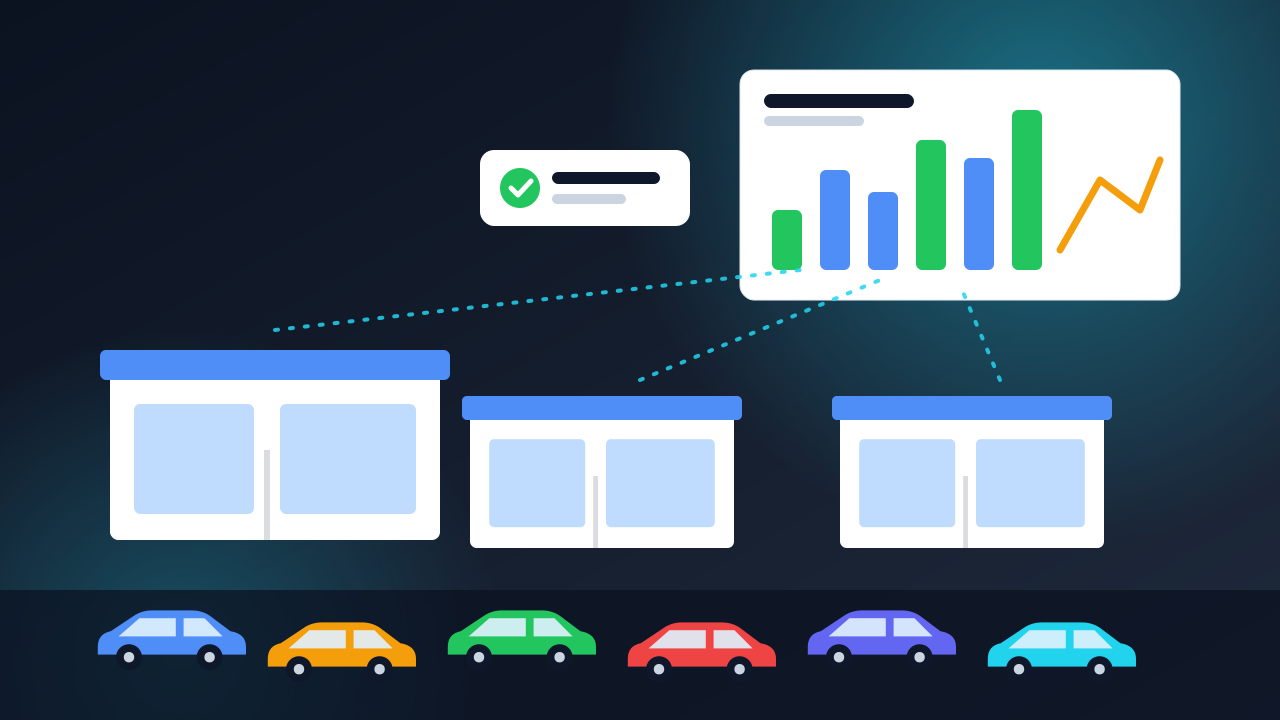
Three dealership showrooms above a row of vehicles, joined by dashed lines to one performance dashboard, with a captured lead card beside it.

Dealerships and groups

Your lot is online. Make the website work as hard as the floor.

The jobs a dealer marketing manager owns, handled from one sign-in: SEO on every page, live specials, payment estimates, QR leads, bot protection and a daily look at the dealers you compete with.

  • SEO tags generated from your inventory and applied on every page load, through Google Tag Manager.
  • Specials and OEM promotions, a finance calculator and QR codes that turn stickers and print ads into leads in your CRM.
  • Scrapers kept off your inventory, fake traffic kept out of your reports, and sold cars cleared out of Google.

Running several rooftops? Track performance, manage credits and coordinate across every dealer site from one platform.


One large dashboard with a rising bar chart, joined by dashed lines to a ring of eight small dealer website cards, seven marked healthy and one flagged.

Agencies

Every client site. One dashboard.

You run the same jobs across a whole book of dealer sites. Stop opening a login per client to find out how each one is doing.

  • NexusPublisher gives you one dashboard to manage SEO, content and site health across your dealer network.
  • The SEO plugin reports every dealer site in one place: performance, SEO scores and usage credits.
  • Tag Service deploys pixels, analytics and scripts to a client site without a developer, with version history and control over who can publish.
A car-shopping website with a grid of vehicle listings, a shield at its edge turning away robot visitors while people reach the site, a tag card and a rising SEO chart.

Publishers

More pages, more tags, more bots. Same answer.

Car-shopping sites carry the dealer's problems at publisher scale. The store has a Publishers tab that lists what is sold to you.

  • SEO tags loaded through Google Tag Manager, with performance tracking for every site you run.
  • Pixels, analytics and third-party scripts managed from one dashboard, without touching site code.
  • Bots and scrapers detected and blocked, so your analytics stay accurate.

Why it matters

The idea behind Search Nitro

Small tools. Sharp edges. One account.

A dealer website does not need a bloated platform. It needs the right jobs done well, by tools that know about each other.

The problem

Every point tool is its own island

Buy tools one at a time and each one arrives on its own terms: its own sign-in, its own invoice, its own install on your website. What one tool learns about your site stays inside that tool.

For one store that is friction. For a group with several rooftops, or an agency with a book of clients, it multiplies with every site you add.

Six separate tool windows scattered across the picture, each with its own key, with the dashed lines between them broken by red crosses.
Tool by toolWith Search Nitro
Tool by tool

Separate sign-ins

One more account to remember, one more login to share.

With Search Nitro

One sign-in

The same sign-in for the store and for the products you use.

Tool by tool

Separate setup

Each product installed on your website its own way.

With Search Nitro

One way to install

Products load through Google Tag Manager or a script tag.

Tool by tool

Data that stays put

A tool that only knows its own numbers cannot tell you anything about the rest of your site.

With Search Nitro

Products that connect

A QR code captures a lead and syncs it to your CRM. The SEO plugin reports every dealer site in one dashboard.

In action

See what it does

Illustration of an analytics dashboard with a rising line chart and a list of SEO tags marked as applied.

nexusDealer

SEO tags on every page. Nobody touches the templates.

If you cannot edit your website's templates, you cannot edit its SEO tags. nexusDealer is added once as a tag in Google Tag Manager. From then on it generates tags from your inventory, applies them as each page loads, and records exactly what it changed.

  • Loads through Google Tag Manager, no code changes
  • Tags generated and updated from your inventory
  • Every injection recorded in the dashboard
Illustration of two vehicles side by side with paired price bars comparing your lot against a competitor.

Competitor Vehicles

Know what the dealer down the road is stocking.

A competing store changes its prices or adds the vehicle you have been chasing. Competitor Vehicles follows three to five competing dealerships, sets their inventory and pricing beside yours, and sends the top signals to your inbox each day.

  • Follow three to five competing dealerships
  • Price tracking and inventory gaps against your own lot
  • A daily report by email
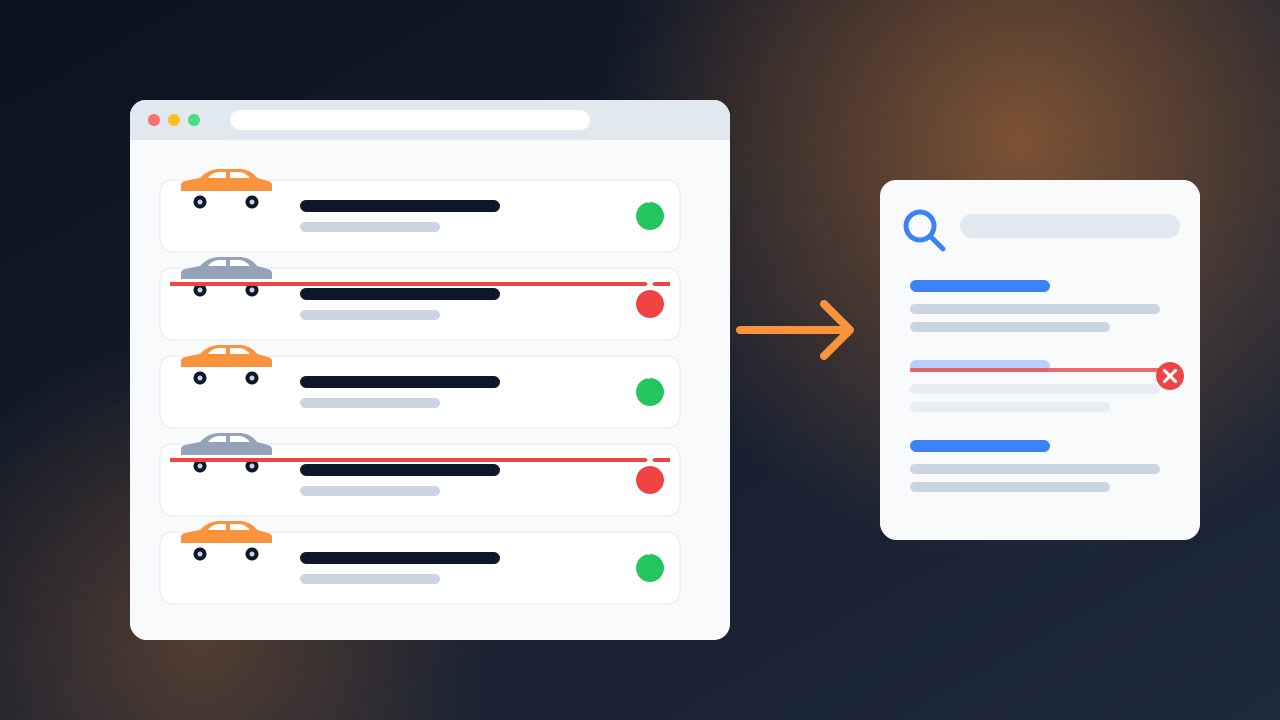
Illustration of a list of vehicle pages, with sold vehicles struck through, leading to a search result with the stale entry removed.

VDP Removal Automation

The car sold. Google still lists it.

A car sells, and its vehicle page is still in Google. VDP Removal Automation compares your pages with your current inventory, finds the stale ones and submits the removal requests through your own Google Search Console property, so nobody files them by hand.

  • Finds pages for vehicles that left your inventory
  • Files the removals through your Search Console property
  • Runs for each dealer site you enroll
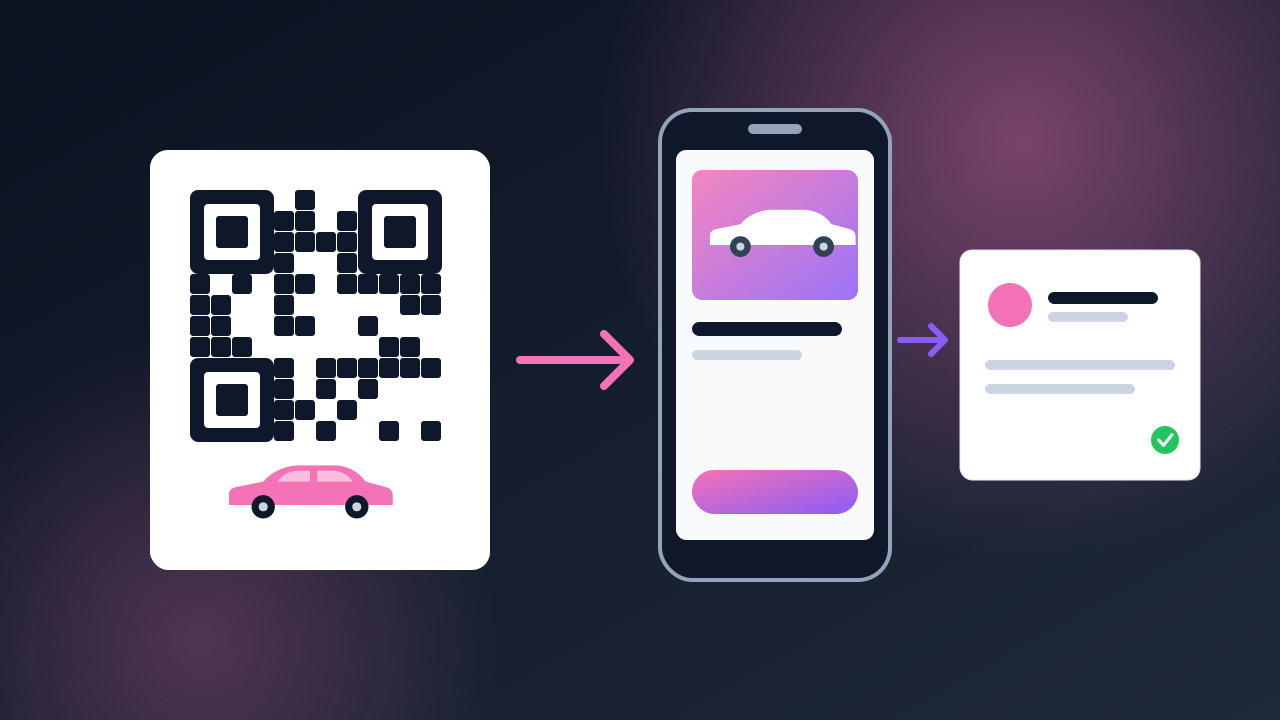
Illustration of a printed QR code beside a phone showing a vehicle page, leading to a captured lead card.

Dealer QR Connect

Every sticker becomes a lead.

A shopper scans the QR code on a window sticker and lands on the vehicle page on their phone. Dealer QR Connect captures their contact details and syncs the lead to your CRM.

  • QR codes for the showroom, window stickers and print ads
  • Contact details captured from the scan
  • Leads synced to your CRM

Cross-platform

Installed where your website already is

Most dealers do not control the code of their own website. Search Nitro is built for that. The SEO plugin is added once as a tag in Google Tag Manager and applies its tags on every page load. What it injects is recorded, so you can see exactly what changed on a page.

The widgets load the same way, through Google Tag Manager or a script tag. Tag Service deploys tracking pixels, analytics and third-party scripts without touching your website code, with version history and control over who can publish.

Look around. Then talk to us.

When you are ready, book a time to talk and we will take it from there.

Need support?

Our support team can help with your Search Nitro account and the products you use.